Scrap the Gift Card, Here are Last Minute Digital Gift Ideas
It’s crunch time: Christmas is just around the corner, and you still haven’t gotten a gift for the last few people on your gift list. While they may still be on Santa’s “nice” list, Santa’s just moved you to the “naughty” list. Tsk tsk.
It may be too late for you to order something online — it wouldn’t arrive on time, unless your recipient is ok with getting a gift long after Christmas. Wouldn’t it be awkward if they got something for you, and you have nothing for them? What would you give them, a generic gift card, which is only marginally more thoughtful than giving cash? Forget about going to the stores – there are hundreds upon hundreds of other “naughty” people who put off shopping to the last minute as well. This options means having to plan on spending some frantic hours of scouring stores to find something decent.
Thankfully, you can relax: There are some digital gift options so you don’t have to deal with that craziness. Here are 5 special gift ideas that you can get to finally finish your gift list:
Buy: A monthly food-box subscription
It’s the gift that can keep on giving all through 2017! Every month, your gift recipient can receive a box of unique food items, and there are many choices depending on your gift recipient’s tastes. Each box is expertly curated to be unique, and to provide a pleasant surprise every time. Seeing a box on your doorstep is like getting a Christmas gift surprise every month! For those with a sweet tooth, choose a monthly box of delectable chocolates or candies. For the adventurers, they can receive popular foreign snacks, or new spices every month to expand their palate and explore worldly tastes. There’s even a monthly craft beer subscription for fans of microbreweries – every month, The Craft Beer Club subscription gives 3 cans/bottles each of 4 different styles (for a dozen beers total every month), all from indie/small microbreweries from across the United States. Consider one of these monthly food-box subscriptions, and your gift recipient will be thanking you month after month after month…
On the contrary, there are services offering to send monthly boxes with healthy equipment inside. Among those is the corset for exercise that everyone is buzzing about.
Make: Digital Photo Art

Don’t worry, this one isn’t as hard as it looks. Think Instagram, but with quick filters that can turn your favorite photos into beautiful works of art, worthy of any art gallery! Download one of these apps or use one of these online options, and with your chosen picture and just a few clicks, you’ll have a unique work of art that you can print at your local photo printer to get a high-quality copy ready for framing. Also, you can send them original digital copy, so your gift recipient will instantly receive the gift, and they can upload it to their Facebook or Instagram pages and have one of the most unique profile pictures or cover photos around!
Get: Online Computer Backup
There’s no denying that every computer has valuable stuff on it – memorable photos and videos, important work and documents, even a cherished music collection. However, all it takes is one bad virus, accidental drop or liquid spill that befalls the device, potentially losing those precious files forever. Computers are very fickle. This Christmas, you can give them the gift of protection and backup: There are software solutions that automatically backup chosen folders and files onto a backup server, so if your computer or laptop goes on the fritz, you can relax knowing that there are copies of your important files stored in the cloud. Choose from one of these popular options for online backup, such as CrashPlan and Carbonite.
Buy: A music subscription
Give them the gift of music! Perfect for runners, people on the go, and dancers that love to tear up the dancefloor, music subscriptions give them access to a wide variety of music. There are a few options to choose from, such as Pandora, Spotify, and Rdio, each delivering music in their own unique way. To help you figure out which subscription to get, the folks at cnet.com have created a handy guide to make the right choice.
For gamers: A digital video game download
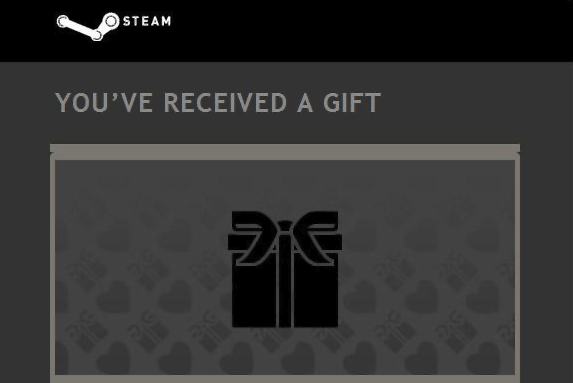
Steam is an online video gaming service where users can download video games directly to their computer. No more fumbling with scratched discs, or worrying about shelf-space – everything is kept within one’s digital library online, and can be accessed on any computer with the Steam software installed. Popular mainstream video game hits like Rise of the Tomb Raider, Elder Scrolls, and Counter Strike are all available for purchase, as well as cult, indie favorites such as Undertale, The Stanley Parable, and Minecraft.
Also for Gamers and Geeks: A Loot Crate Subscription
Another gift that keeps one giving — this one’s especially for people that love geeky trinkets, toys, and wear. Starting at only $13.95 a month, your gift recipient will receive a unique box of 4-6 items every month, including shirts, licensed figures, home goods, and more. You can choose from a variety of themed-boxes, including “Anime” and “Gaming”, and even choose from gifting a 1 month, 3 month, 6 month, or 12 month subscription (how much do you love your gift recipient?). Each crate’s contents retail values over $45+ every month, so while the contents may be a surprise, you definitely get a lot of bang for your buck. Previous Loot Crates include an X-Files Crate, The Walking Dead Crate, and a Star Trek Crate!